

My Garage
My Account
Cart
Genuine 2011 Ford Ranger Drive Shaft
Axle Shaft- Select Vehicle by Model
- Select Vehicle by VIN
Select Vehicle by Model
orMake
Model
Year
Select Vehicle by VIN
For the most accurate results, select vehicle by your VIN (Vehicle Identification Number).
18 Drive Shafts found
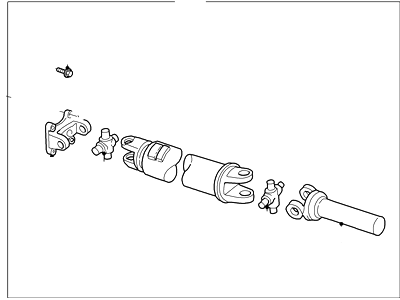
2011 Ford Ranger Drive Shaft Assembly
Part Number: 5L5Z-4602-H$304.62 MSRP: $423.17You Save: $118.55 (29%)Ships in 1-2 Business DaysProduct Specifications- Other Name: Shaft Assembly - Drive
- Replaces: 5L5Z-4602-NA, 2L5Z-4602-AA
- Base No.: 4602
- Item Weight: 33.30 Pounds
- Item Dimensions: 27.0 x 4.5 x 4.3 inches
- Condition: New
- Fitment Type: Direct Replacement
- SKU: 5L5Z-4602-H
- Warranty: This genuine part is guaranteed by Ford's factory warranty.
2011 Ford Ranger Drive Shaft Assembly
Part Number: 4L5Z-4602-D$427.20 MSRP: $593.45You Save: $166.25 (29%)Ships in 1-2 Business DaysProduct Specifications- Other Name: Shaft Assembly - Drive
- Replaces: 4L5Z-4602-C
- Base No.: 4602
- Item Weight: 27.10 Pounds
- Item Dimensions: 26.8 x 4.3 x 4.4 inches
- Condition: New
- Fitment Type: Direct Replacement
- SKU: 4L5Z-4602-D
- Warranty: This genuine part is guaranteed by Ford's factory warranty.
2011 Ford Ranger Drive Shaft
Part Number: 5L5Z-4602-G$229.55 MSRP: $313.08You Save: $83.53 (27%)Ships in 1-3 Business DaysProduct Specifications- Other Name: Shaft Assembly - Drive; Drive Shaft
- Replaces: F57Z-4602-E, 4L5Z-4602-BA
- Base No.: 4602
- Item Weight: 26.70 Pounds
- Item Dimensions: 26.8 x 4.4 x 4.5 inches
- Condition: New
- Fitment Type: Direct Replacement
- SKU: 5L5Z-4602-G
- Warranty: This genuine part is guaranteed by Ford's factory warranty.
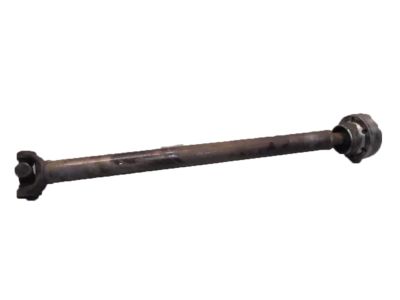
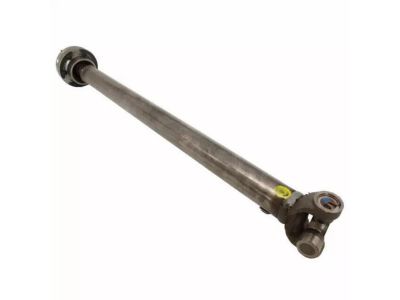
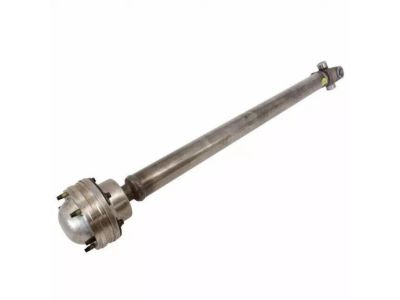
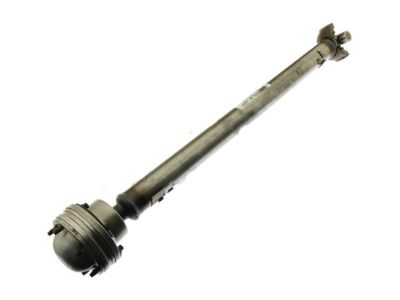
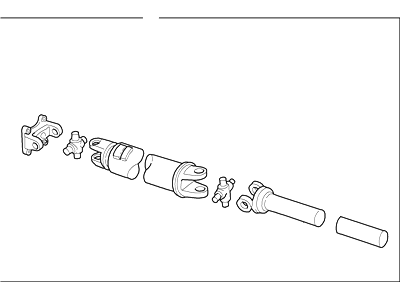 Product Specifications
- Other Name: Shaft Assembly - Drive; Drive Shaft
- Replaces: F77Z-4A376-BA
- Base No.: 4A376
- Item Weight: 13.20 Pounds
- Item Dimensions: 5.1 x 5.1 x 33.9 inches
- Condition: New
- Fitment Type: Direct Replacement
- SKU: XL2Z-4A376-AA
- Warranty: This genuine part is guaranteed by Ford's factory warranty.
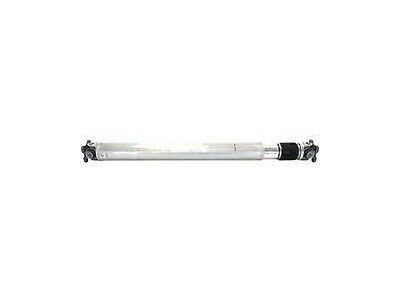
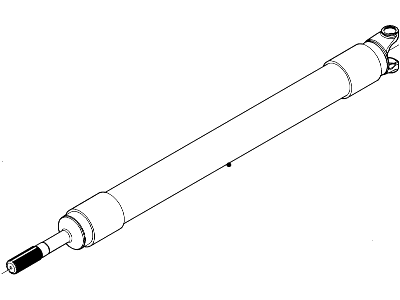 Product Specifications
- Other Name: Shaft Assembly - Drive
- Manufacturer Note: Aluminium
- Item Weight: 36.70 Pounds
- Item Dimensions: 6.3 x 6.3 x 56.2 inches
- Condition: New
- Fitment Type: Direct Replacement
- SKU: 3L5Z-4602-LA
- Warranty: This genuine part is guaranteed by Ford's factory warranty.
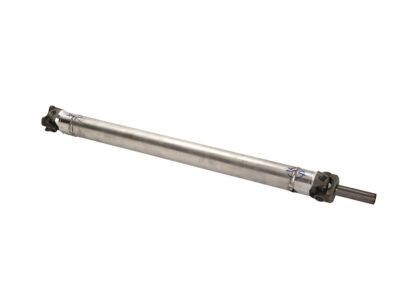 Product Specifications
- Other Name: Shaft Assembly - Drive; Drive Shaft
- Replaces: 1L5Z-4602-HC, 6L5Z-4602-A
- Base No.: 4602
- Item Weight: 43.60 Pounds
- Item Dimensions: 64.6 x 6.2 x 6.2 inches
- Condition: New
- Fitment Type: Direct Replacement
- SKU: 6L5Z-4602-D
- Warranty: This genuine part is guaranteed by Ford's factory warranty.
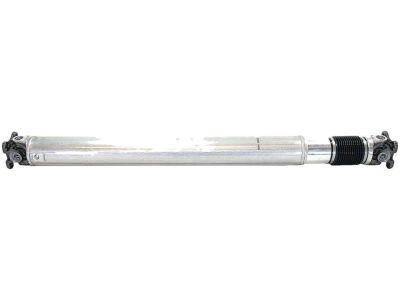 Product Specifications
- Other Name: Shaft Assembly - Drive; Drive Shaft
- Replaces: 1L5Z-4602-LB
- Base No.: 4602
- Item Weight: 24.00 Pounds
- Item Dimensions: 64.9 x 6.1 x 6.2 inches
- Condition: New
- Fitment Type: Direct Replacement
- SKU: 6L5Z-4602-E
- Warranty: This genuine part is guaranteed by Ford's factory warranty.
- Product Specifications
- Other Name: Shaft Assembly - Drive
- Replaced by: 5L5Z-4602-H
- Item Weight: 35.20 Pounds
- Item Dimensions: 26.8 x 4.5 x 4.3 inches
- Condition: New
- Fitment Type: Direct Replacement
- SKU: 5L5Z-4602-NA
- Warranty: This genuine part is guaranteed by Ford's factory warranty.
- Product Specifications
- Other Name: Shaft Assembly - Drive
- Replaced by: 4L5Z-4602-D
- Item Weight: 29.20 Pounds
- Item Dimensions: 26.5 x 4.5 x 4.4 inches
- Condition: New
- Fitment Type: Direct Replacement
- SKU: 4L5Z-4602-C
- Warranty: This genuine part is guaranteed by Ford's factory warranty.
- Product Specifications
- Other Name: Shaft Assembly - Drive; Drive Shaft
- Replaces: F87Z-4602-AA
- Base No.: 4602
- Item Dimensions: 26.5 x 4.3 x 4.3 inches
- Condition: New
- Fitment Type: Direct Replacement
- SKU: 5L5Z-4602-BB
- Warranty: This genuine part is guaranteed by Ford's factory warranty.
- Product Specifications
- Other Name: Shaft Assembly - Drive
- Replaced by: 5L5Z-4602-J
- Item Weight: 40.00 Pounds
- Item Dimensions: 77.5 x 6.1 x 6.4 inches
- Condition: New
- Fitment Type: Direct Replacement
- SKU: 5L5Z-4602-PA
- Warranty: This genuine part is guaranteed by Ford's factory warranty.
- Product Specifications
- Other Name: Shaft Assembly - Drive; Drive Shaft
- Replaces: F87Z-4602-PA, 5L5Z-4602-PA
- Base No.: 4602
- Item Weight: 38.90 Pounds
- Item Dimensions: 27.0 x 4.5 x 4.4 inches
- Condition: New
- Fitment Type: Direct Replacement
- SKU: 5L5Z-4602-J
- Warranty: This genuine part is guaranteed by Ford's factory warranty.
- Product Specifications
- Other Name: Shaft Assembly - Drive; Drive Shaft
- Replaces: XL5Z-4602-AA
- Base No.: 4602
- Item Weight: 25.00 Pounds
- Item Dimensions: 27.3 x 4.5 x 4.3 inches
- Condition: New
- Fitment Type: Direct Replacement
- SKU: 5L5Z-4602-F
- Warranty: This genuine part is guaranteed by Ford's factory warranty.
- Product Specifications
- Other Name: Shaft Assembly - Drive; Drive Shaft
- Replaces: F87Z-4602-FA
- Base No.: 4602
- Item Weight: 34.50 Pounds
- Item Dimensions: 26.3 x 4.4 x 4.4 inches
- Condition: New
- Fitment Type: Direct Replacement
- SKU: 5L5Z-4602-D
- Warranty: This genuine part is guaranteed by Ford's factory warranty.
- Product Specifications
- Other Name: Shaft Assembly - Drive; Drive Shaft
- Replaces: F87Z-4602-EA
- Base No.: 4602
- Item Weight: 27.80 Pounds
- Item Dimensions: 27.0 x 4.4 x 4.4 inches
- Condition: New
- Fitment Type: Direct Replacement
- SKU: 5L5Z-4602-C
- Warranty: This genuine part is guaranteed by Ford's factory warranty.
- Product Specifications
- Other Name: Shaft Assembly - Drive; Drive Shaft
- Replaces: F87Z-4602-BA
- Base No.: 4602
- Item Weight: 33.50 Pounds
- Item Dimensions: 26.5 x 4.4 x 4.5 inches
- Condition: New
- Fitment Type: Direct Replacement
- SKU: 5L5Z-4602-B
- Warranty: This genuine part is guaranteed by Ford's factory warranty.
- Product Specifications
- Other Name: Shaft Assembly - Drive; Drive Shaft
- Replaces: 5L5Z-4602-A, F87Z-4602-DA
- Base No.: 4602
- Item Weight: 21.00 Pounds
- Item Dimensions: 26.0 x 4.5 x 4.4 inches
- Condition: New
- Fitment Type: Direct Replacement
- SKU: 5L5Z-4602-AA
- Warranty: This genuine part is guaranteed by Ford's factory warranty.
- Product Specifications
- Other Name: Shaft Assembly - Drive
- Manufacturer Note: Steel
- Replaced by: 6L5Z-4602-D
- Item Weight: 35.00 Pounds
- Item Dimensions: 26.0 x 4.4 x 4.3 inches
- Condition: New
- Fitment Type: Direct Replacement
- SKU: 6L5Z-4602-A
- Warranty: This genuine part is guaranteed by Ford's factory warranty.
2011 Ford Ranger Drive Shaft
At FordPartsGiant.com, you will find an extensive inventory of genuine 2011 Ford Ranger Drive Shaft offered at competitive prices online. These manufacturer-backed OEM 2011 Ford Ranger Drive Shaft ensure your satisfaction with their quality and come with a hassle-free return policy and expedited delivery service, guaranteeing a delightful shopping experience.
2011 Ford Ranger Drive Shaft Parts Questions & Experts Answers
- Q:How to remove and install the rear and front drive shafts on 2011 Ford Ranger?Posted by Lili M.A:To replace the rear driveshaft, start by disconnecting the negative cable from the battery and securely raising the vehicle on jackstands with the transmission in Neutral and the parking brake off. Look for factory yellow paint marks on the axle companion flange and driveshaft flange; if not visible, create alignment marks using a scribe or white paint. For 4WD models, repeat this marking process for the front end of the driveshaft. Remove the bolts to lower the rear driveshaft, detaching the front end from the transfer case on 4WD models or sliding it out of the transmission on 2WD models. Installation follows the reverse order, ensuring alignment marks are matched, and for 2011 models, tighten the driveshaft-to-axle bolts in a crisscross pattern to specified torque. For two-piece driveshafts, repeat the initial steps, then remove the bolts securing the center bearing bracket and the driveshaft from the rear axle. On 2WD models, disconnect the driveshaft from the rear axle companion flange, and on 4WD models, from the transfer case. During installation, lubricate the slip yoke splines, inspect the housing seal, ensure the center bearing bracket is square, and align the paint marks before tightening all fasteners to specified torque. For the front driveshaft on 4WD models, mark the driveshaft and differential flanges, unbolt the flange securing the double cardan joint, and remove the bolts securing the front end to the differential yoke. Wrap tape around the universal joint bearings to prevent them from falling off, then raise the front driveshaft into position, ensuring alignment, and install the straps and bolts, tightening them to specified torque, with a crisscross pattern for 2011 models.Answered by Ford Parts Specialist Joseph / Nov 22, 2022
Related 2011 Ford Ranger Parts
 2011 Ford Ranger Axle Shaft
 2011 Ford Ranger Axle Beam
 2011 Ford Ranger Slip Yoke
 2011 Ford Ranger Differential
 2011 Ford Ranger Differential Cover
 2011 Ford Ranger Differential Seal
 2011 Ford Ranger Axle Bushing
 2011 Ford Ranger Axle Vent