Make sure this part fits

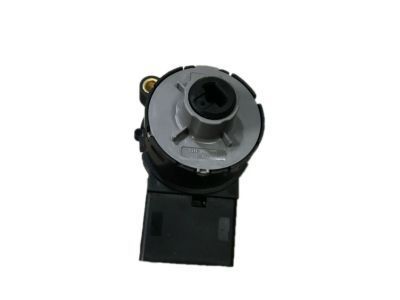
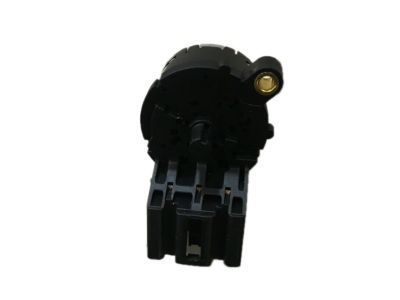
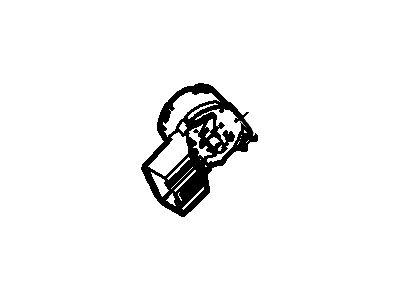
Mercury 5W1Z-11572-AA Ignition Switch Assembly

2005-2011 Mercury Grand Marquis 5W1Z11572AA

Customer Questions & Expert Answers (6)
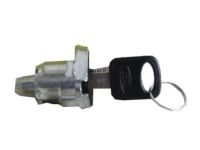
5W1Z-11572-AA Ford Ignition Switch Assembly Product Photo 1 of 2
  • Part Description
    Switch Assy - Ignition
  • Base No.
    11572
  • Manufacturer
    Ford
Make sure this part fits
$41.19 MSRP: $66.73
You Save: $25.54 (39%)
Ships in 1-2 Business Days
1
ADD TO CART
  • Related Parts
  • Specifications
  • Fitment
  • Q&A
  • Product Specifications

    BrandGenuine Mercury
    Base No.11572
    Manufacturer Part Number5W1Z-11572-AA, 5W1Z11572AA
    Part DescriptionSwitch Assy - Ignition
    Other NamesIgnition Switch
    Item Dimensions6.4 x 4.1 x 4.2 inches
    Item Weight0.50 Pounds
    ConditionNew
    Fitment TypeDirect Replacement
    ManufacturerFord
    SKU5W1Z-11572-AA
    WarrantyThis genuine Ford part is guaranteed by Ford's factory warranty.
    Shipping & ReturnShipping Policy Return Policy
    Warning: California's Proposition 65
  • Vehicle Fitment

    Year Make Model Engine Important vehicle option details
    2005-2011 Mercury Grand Marquis8 Cyl 4.6L, 8 Cyl 4.6L Romeo SOHC EFI4AT 4R70W, 4-Speed Automatic Transmission 4R75E Livonia, Left Hand Drive, Rear-Wheel Drive (Left Hand Drive)
  • Customer Questions & Expert Answers

    Q:
    Will these fit my car and if not which part will? Thank you. Posted by FordPartsGiant Specialist
    A:
    You can Select Your Vehicle to check if 5W1Z-11572-AA fits your vehicle.
    Posted by FordPartsGiant Specialist
    Q:
    How to remove and install the ignition switch on Ford Crown Victoria? Posted by Customer
    A:
    To remove the ignition switch the following steps was followed; one was to disconnect the cable from the negative terminal of the battery. After that, it is necessary to take off the steering column on both sides and the knee bolster. For models from 1996 and earlier you have to remove the retaining nuts and then lower the column to get to the switch screws. In those models that were manufactured from 1997-2004, the switch lies to the right of the steering column and to get at it, one has to pull out the metal reinforcement panel behind the knee bolster. Disconnect the cruiser multi-function, insert the ignition key to the RUN position, loosen the two switch installing screws; the ignition switch pulls out from the actuator pin. In installation, make sure that the actuator pin slot of the new ignition switch is in the RUN position and simply place the new switch over the actuator pin and tight the retain screws in place while switching the position of the new switch up and down to match the position of the screw holes. I then replaced the electrical connector to the switch, put the upper steering column cover into position and tighten the nuts to hold the steering column into position. Last, reattach the lower column covers along with the succeeding lowering of the insulator panel, and reconnection to the negative terminal of the battery.
    Posted by FordPartsGiant Specialist
    Q:
    How to check the ignition switch for continuity in each of the indicated positions on Lincoln Navigator? Posted by Customer
    A:
    The ignition switch is located below the steering column behind the knee bolster and must be removed for checking. Using an ohmmeter or self-powered test light along with the provided diagrams, check for continuity between the indicated switch terminals in each of the specified positions. If continuity is not as required, the switch should be replaced. To replace the switch, first disconnect the negative battery cable followed by the positive battery cable and wait two minutes. Turn the ignition key lock cylinder to the Run position, then remove the center trim panel for 2002 and earlier models along with the driver side knee bolster. Unplug the ignition switch electrical connector and remove the retaining screws; on some later models, a tab retains the switch, which must be depressed to remove it. Disengage the ignition switch from the actuator pin and take it out of the vehicle. Ensure the actuator pin slot in the new ignition switch is in the Run position, as a new replacement switch will be set in this position. Position the new switch on the actuator pin and install the retaining screws, adjusting the switch as necessary to align the screw holes. Finally, the installation process is the reverse of removal, and proper operation of the ignition switch should be checked in the lock, start, and accessory positions.

    Posted by FordPartsGiant Specialist
    Q:
    How to remove and install the ignition switch on Mercury Grand Marquis? Posted by Customer
    A:
    To remove the ignition switch the following steps was followed; one was to disconnect the cable from the negative terminal of the battery. After that, it is necessary to take off the steering column on both sides and the knee bolster. For models from 1996 and earlier you have to remove the retaining nuts and then lower the column to get to the switch screws. In those models that were manufactured from 1997-2004, the switch lies to the right of the steering column and to get at it, one has to pull out the metal reinforcement panel behind the knee bolster. Disconnect the cruiser multi-function, insert the ignition key to the RUN position, loosen the two switch installing screws; the ignition switch pulls out from the actuator pin. In installation, make sure that the actuator pin slot of the new ignition switch is in the RUN position and simply place the new switch over the actuator pin and tight the retain screws in place while switching the position of the new switch up and down to match the position of the screw holes. I then replaced the electrical connector to the switch, put the upper steering column cover into position and tighten the nuts to hold the steering column into position. Last, reattach the lower column covers along with the succeeding lowering of the insulator panel, and reconnection to the negative terminal of the battery.
    Posted by FordPartsGiant Specialist
    Q:
    How should the new switch be installed for the 2008 Ford Expedition? Posted by Customer
    A:
    Place the new switch in position on the actuator pin and install the retaining screws, moving the switch back and forth if necessary to line up the screw holes.
    Posted by FordPartsGiant Specialist
    See expert answers on similar Ignition Switch
    Q:
    What should be removed next after disconnecting the battery for the 2009 Ford F-150? Posted by Customer
    A:
    Remove the upper and lower steering column covers.
    Posted by FordPartsGiant Specialist
    See expert answers on similar Ignition Switch
    If you have any questions about this product, please don't hesitate to ask us. We will be happy to help you!

Genuine Ford Part 5W1Z-11572-AA, the Right Choice

To ensure reliability, purchase part # 5W1Z-11572-AA Ignition Switch Assembly. It is also called Ignition Switch. OEM parts are of high quality and known for their longevity. This is because they are built to the Ford standards which are relatively high and undergo rigorous quality control testing. This part fits specific Mercury Grand Marquis models.

FordPartsGiant.com is a leading supplier of genuine components and accessories such as 5W1Z11572AA Ignition Switch Assembly. Looking to purchase quality low-cost OEM Ford parts? You have just found the right place. For detailed Mercury parts information, click here.

Why choose Ford Parts Giant

  • Dedicated Service

    Your complete satisfaction is our #1 goal

  • Lowest Prices

    Best deals on genuine OE parts from dealerships

  • Fast Delivery

    Orders are processed and delivered promptly