Make sure this part fits

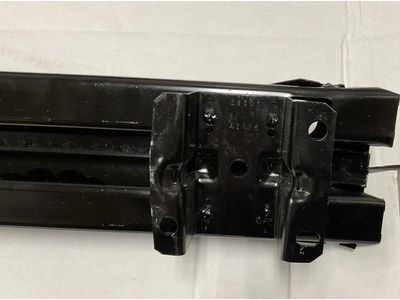
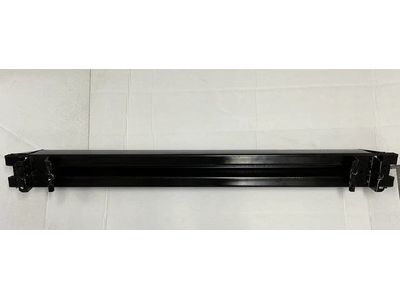
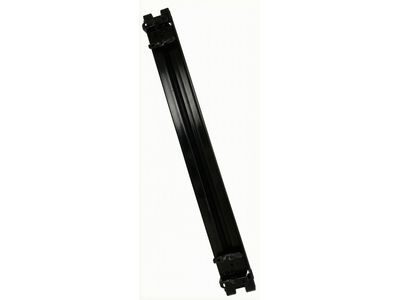
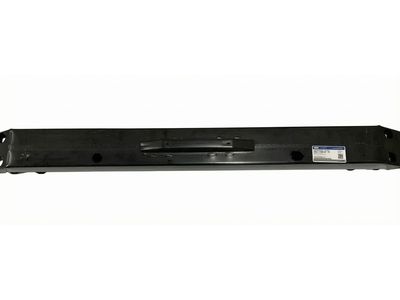
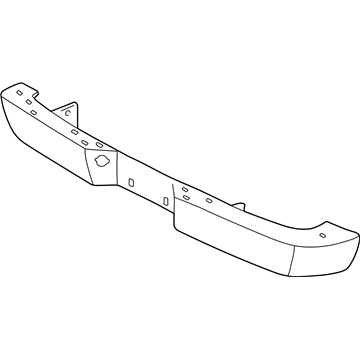
Ford XL2Z-17906-CA Bumper

1998-2001 Ford XL2Z17906CA

Customer Questions & Expert Answers (3)
XL2Z-17906-CA Ford Bumper Illustration 1 of 1
  • Part Description
    Bumper
  • Manufacturer
    Ford
  • Manufacturer's Notes
    This part is discontinued.
Make sure this part fits
  • Related Parts
  • Specifications
  • Fitment
  • Q&A
  • Product Specifications

    BrandGenuine Ford
    Manufacturer Part NumberXL2Z-17906-CA, XL2Z17906CA
    Part DescriptionBumper
    Other NamesFace Bar
    ConditionNew
    Fitment TypeDirect Replacement
    ManufacturerFord
    SKUXL2Z-17906-CA
    WarrantyThis genuine Ford part is guaranteed by Ford's factory warranty.
    Shipping & ReturnShipping Policy Return Policy
    Warning: California's Proposition 65
  • Vehicle Fitment

    Year Make Model Engine Important vehicle option details
    1999-2001 Ford Explorer6 Cyl 4.0L, 8 Cyl 5.0L4AT 4R70W, 5AT 5R55E, 5MT
    1998-2001 Mercury Mountaineer6 Cyl 4.0L, 8 Cyl 5.0L4AT 4R70W, 5AT 5R55E
  • Customer Questions & Expert Answers

    Q:
    Is the the correct part for the attached VIN? Posted by FordPartsGiant Specialist
    A:
    You can Select Your Vehicle to check if XL2Z-17906-CA fits your vehicle.
    Posted by FordPartsGiant Specialist
    Installation and Repair Tips
    Q:
    How to remove and install a rear bumper on Ford Explorer? Posted by Customer
    A:
    The bumper is heavy and somewhat awkward to remove and install, so at least two people should perform this procedure. To remove the bumper, first, take out the license plate light socket. Have an assistant hold the bumper assembly while you remove the nuts and retainer on each side that secure the bumper to the frame, noting that the rear bumper mounting bolts are welded to a strap, which requires removing two nuts on the opposite side to pull the bolts and strap out. If there were any spacers between the bumper brackets and the frame, save them for reassembly. If necessary, also remove the bumper brackets, stone deflector, and step plate. For installation, follow the reverse of the removal process, ensuring to transfer the brackets, stone deflector, and any additional items to a new bumper if applicable. When installing the step pad, start at the locator hole at the center of the bumper, loosely install the bumper fasteners, adjust the bumper position to maintain a 3/4-inch horizontal gap between the bumper and body, and then securely tighten the fasteners after adjustment. For 2001 and later models, remove the screws securing the cover to the splash shield at the rear wheel opening on each side, drill out the two rivets, pry up and remove the rubber step pad at each side of the bumper cover, and then lift off the bumper cover, with installation being the reverse of the removal process.

    Posted by FordPartsGiant Specialist
    Q:
    What should you do after opening the hood and checking the Bumper for the 2001 Ford Explorer? Posted by Customer
    A:
    Remove the bolts and retaining clips and remove the radiator grille sight shield.
    Posted by FordPartsGiant Specialist
    See Complete Installation and Repair Tips

Genuine Ford Part XL2Z-17906-CA, the Right Choice

To ensure reliability, purchase part # XL2Z-17906-CA Bumper. It is also called Bumper. OEM parts are of high quality and known for their longevity. This is because they are built to the Ford standards which are relatively high and undergo rigorous quality control testing. This part fits specific Ford Explorer models. It fits Mercury Mountaineer.

FordPartsGiant.com is a leading supplier of genuine components and accessories such as XL2Z17906CA Bumper. Looking to purchase quality low-cost OEM Ford parts? You have just found the right place. For detailed Ford parts information, click here.

Why choose Ford Parts Giant

  • Dedicated Service

    Your complete satisfaction is our #1 goal

  • Lowest Prices

    Best deals on genuine OE parts from dealerships

  • Fast Delivery

    Orders are processed and delivered promptly